
New features
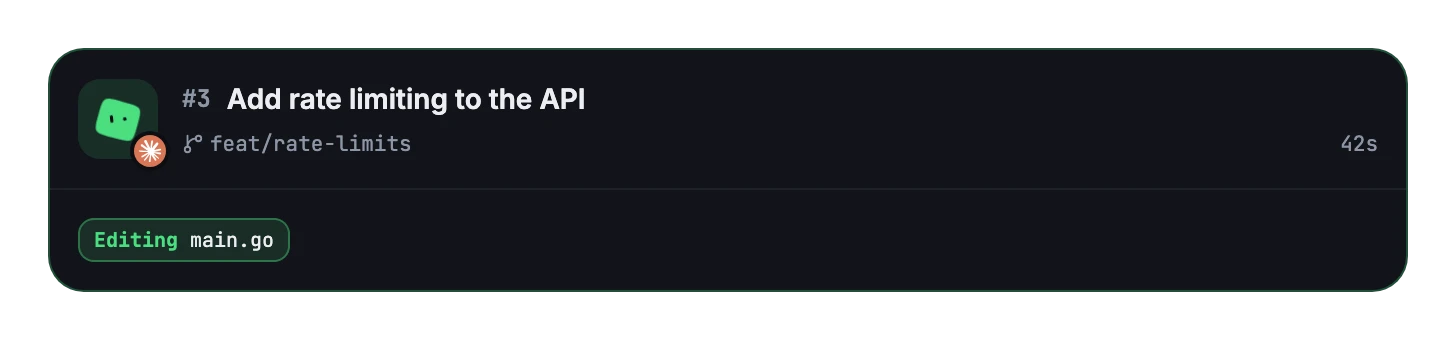
See what each session is doing
Working sessions now show what they’re doing in real time.
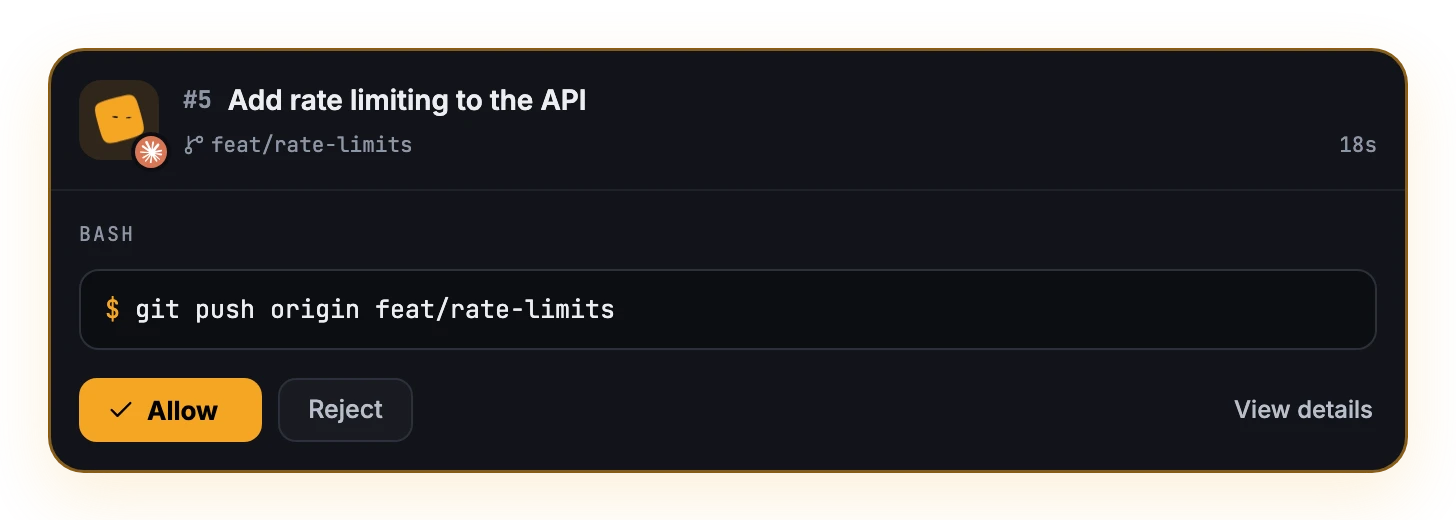
Approve right from the card
When Claude asks to run a command, its card shows it with Allow and Reject. When it asks you a question, you can answer from the card too. View details opens the conversation.
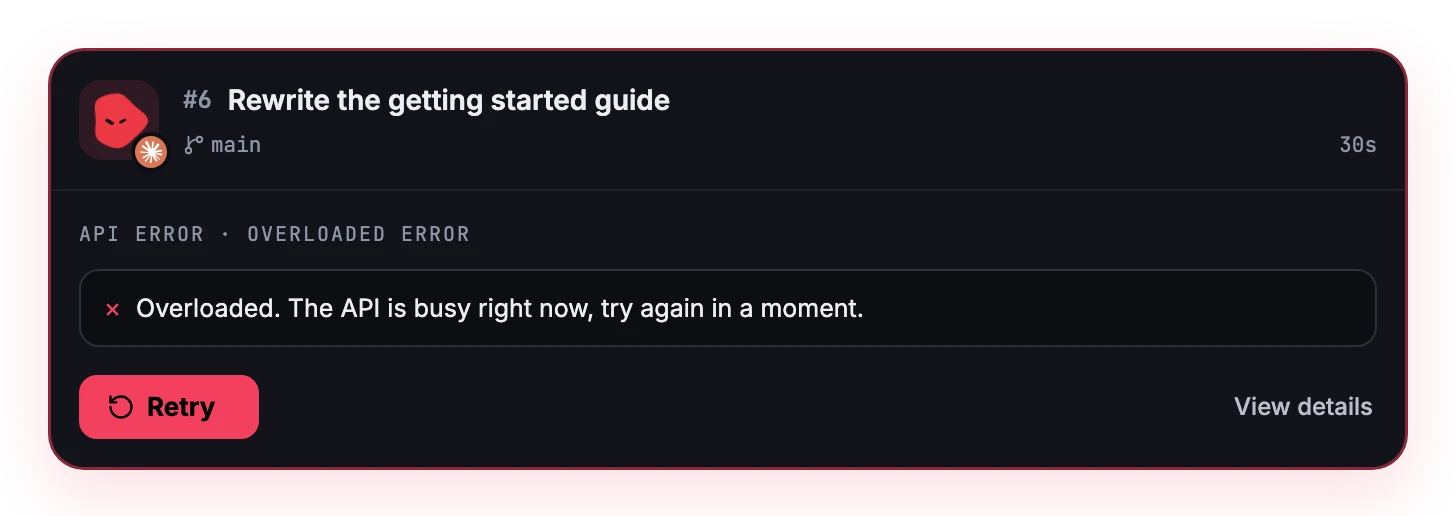
See why a session stopped
When Claude or Codex hits an API error, its card shows what failed, with Retry, or a hint to log in again when that’s what it needs.
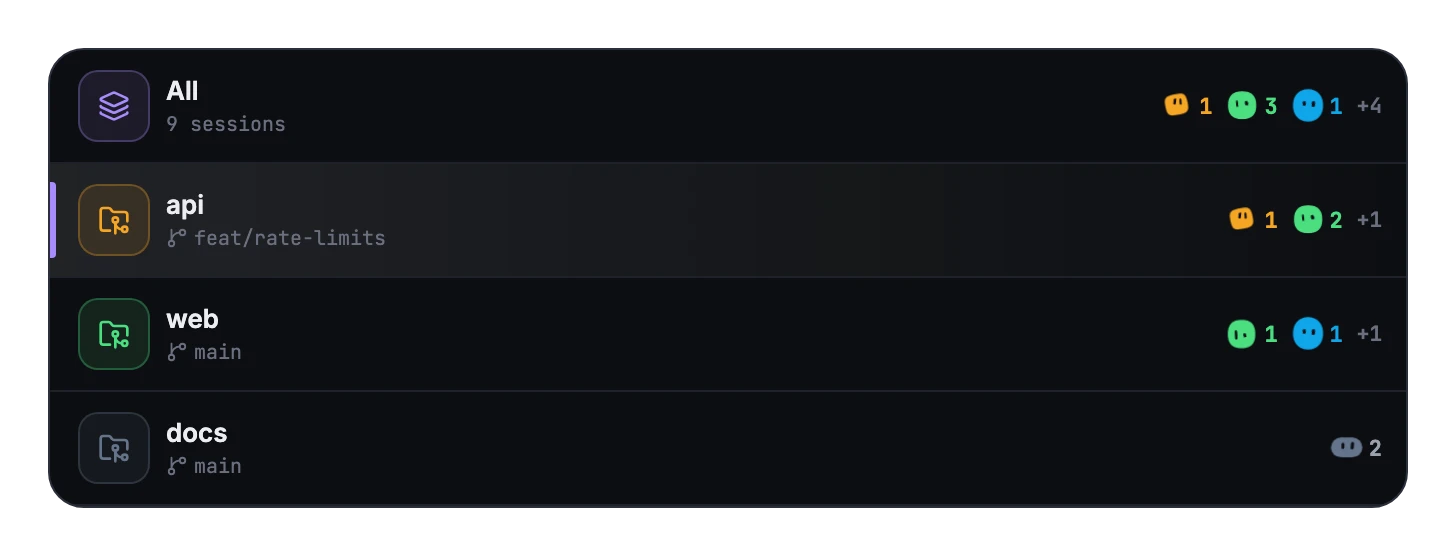
Every state of a project at a glance
A project in the sidebar used to show a single blob, its most urgent session’s, as if all its sessions were in that state. Now it shows a blob and a count for each state, most urgent first, so you see at once what needs you and what’s still working.
Resize the sidebar
Drag its edge to make it wider or narrower.
Read cut-off text in full
Hover over a title or a command that doesn’t fit and it shows in full.
Bug fixes
- Inside a project, cards no longer repeat its name: they show it only in All sessions.
- The breakdown no longer lists states with no sessions.
- A project’s ⋯ no longer appears on hover: right-click the project for its options.
- The ⌘1 and ⌘2 shortcuts in the view switch are easier to read.